If you’re looking at Infinity Kingdom PC and wondering, “Is this actually worth my time—or is it one of those games that only makes sense after you’ve already made a dozen mistakes?” you’re not being paranoid. Strategy MMOs can be deceptively deep, and early missteps often cost the most.
This Infinity Kingdom beginner guide is written for desktop players who want clarity before committing: what the game is, what typically trips beginners up, what feels better during Infinity Kingdom desktop gameplay, and how to start with fewer regrets.
What kind of game is Infinity Kingdom?
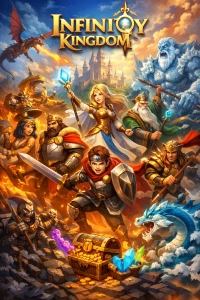
Infinity Kingdom is a cartoon-styled MMO strategy game built around four things: building a city, assembling hero squads (“Immortals”), raising dragons with elemental powers, and pushing into PvE and PvP conflicts on a shared world map.
On PC, the “feel” is defined less by twitch reflexes and more by decision clarity: selecting the right team, reading buffs, timing upgrades, and learning which activities actually move your account forward. The Steam description leans heavily into elemental team-building and world-map activities like ruins exploration, which are hard to appreciate if you don’t understand what they’re for yet.
A practical note beginners appreciate: the Infinity Kingdom desktop version is distributed through mainstream PC platforms and is listed as free-to-play (with monetization). Steam labels the game “Free To Play,” includes “In-App Purchases,” and notes a required third-party account and EULA.
The Epic listing also shows the base game as free, flags in-game purchases (including random items), and notes required login accounts.
If you’re checking whether your PC can run it, both storefronts publish system requirements. Steam lists a minimum of 2 GB RAM (8 GB recommended) and modest storage, plus a note that the Steam client supports Windows 10 and later (effective January 1, 2024).
Epic’s listing shows Windows support and its own requirements, while Epic’s launcher has its own separate OS requirements (Windows 10/11).
Why many beginners struggle at first
Most early frustration comes from a mismatch between what beginners think the game is and what the game actually rewards.
A new player often assumes:
- “More buildings = more power.”
- “Any strong hero is good enough.”
- “I’ll figure the systems out later.”
Infinity Kingdom tends to punish that approach. The game is explicit that elemental assignments matter—matching your dragon’s element with your Immortals can activate exclusive elemental buffs in battle. That means random upgrades and scattered team planning can leave you weaker than you “should” be for your time invested.
Another common beginner trap is underestimating how social the progression loop is. Many of the biggest time-savers and protective layers are tied to alliance participation, not solo play. (This becomes more obvious once build/research timers stretch out and you realize time is the real currency.)
Finally, beginners often struggle because they treat the world map as “later content.” In reality, it’s where a lot of the game’s momentum comes from—like sending scouts to ruins to earn stele shards and rewards that feed back into your territory’s progression.
What makes Infinity Kingdom different (especially on PC)
What surprises many new players isn’t that Infinity Kingdom has heroes and dragons (lots of games do). It’s that the game keeps nudging you toward configuration: element alignment, buff activation, and team customization—then asks you to prove it against other players.
PC helps because it reduces friction in the two places you spend most of your mental energy:
- Seeing enough information at once (skills, buffs, elements, teams, timers).
- Executing lots of small decisions quickly (roster management, scouting, swapping formations, queueing upgrades).
Even the publisher ecosystem markets PC play around practical clarity—“bigger screen for a better view” and “easy control with mouse and keyboard”—because those advantages directly translate into better decision-making in a systems-heavy strategy game.
There’s also a second “PC difference” that’s not about performance: transparency. Steam, for example, clearly warns about a required third-party account (GTA/GTarcade) and a separate EULA, which is helpful to know upfront rather than discovering mid-setup.
Key systems you should understand early
Immortals (heroes)
Immortals are the core of your combat identity. The Epic listing describes commanding “over 50” Immortals from different civilizations and even name-drops examples like Cleopatra, Caesar, Merlin, and Robin Hood—useful context because it signals the game expects you to build squads, not a single carry hero.
Early on, the most important mindset shift is this: don’t judge an Immortal only by rarity. In Infinity Kingdom, your heroes are part of an elemental and formation system, so “good” often means “fits the plan you’re building,” not “highest rarity on paper.”
Dragons
Dragons aren’t cosmetic. They’re an upgrade path with real strategic weight. Epic highlights dragons with “unique elemental powers” that enhance your forces.
Steam goes further by explaining that matching a dragon’s element with your Immortals can activate exclusive elemental buffs—this is one of those mechanics that quietly separates fast learners from frustrated beginners.
If you only remember one dragon rule early, make it this: your dragon is not just a pet; it’s part of the same element logic that shapes your team’s performance.
City building
City building is where beginners often confuse activity with progress.
Yes, you’ll build and upgrade constantly—but the real win is keeping your time queues working for you (build queue, research queue, training where applicable), and aligning that growth with what your team needs next. Steam’s description literally frames the early experience around rebuilding, growing faster, building faster, and training faster—then putting those gains on the line.
Alliance participation directly affects this part of the game. The official GTarcade guide notes that alliance members can help reduce building and technology research time, and even specifies reductions (e.g., help reducing task duration).
PvP & alliances
Infinity Kingdom positions itself as an online strategy game with real-time battles against other players (Epic) and lists MMO / Online PvP features on Steam.
For beginners, the important takeaway isn’t “PvP is scary.” It’s that alliances are not optional flavor. They’re a progression engine: protection, time reduction, shared coordination, and access to systems you otherwise feel locked out of. The official alliance guide emphasizes that help applies to both building and research, which becomes more valuable as timers grow.
Beginner tips that actually matter
Most “beginner tips” online are generic. Here are the ones that tend to make a noticeable difference specifically in Infinity Kingdom’s early-to-mid learning curve.
First, treat your first week as a learning sprint, not a power sprint. The goal is to understand the loop—then your progress becomes smoother.
Join an active alliance early (and use help consistently).
Alliance help reduces build/research time, and the official GTarcade guide describes this as a core alliance function rather than a minor bonus.
Build one main team concept instead of upgrading everything.
Steam’s description highlights element assignment and exclusive elemental buffs; spreading upgrades across mismatched elements can slow your real combat progress even if your “power number” rises.
Learn the element rules before you chase “best heroes.”
One reason Infinity Kingdom feels confusing early is that the strongest-sounding Immortal doesn’t always strengthen your current formation. The game explicitly ties dragon assignment, Immortal element, and battlefield buffs together.
Don’t ignore ruins and scouting because it “looks optional.”
Steam describes ruins exploration as a world-map activity that rewards you with stele shards used in monuments to reveal lore and unlock rewards. That’s progression disguised as side content.
Know your platform requirements before you invest hours.
Steam lists system requirements and includes the Windows 10+ Steam client support note (effective January 1, 2024). Epic’s store listing includes system requirements and notes required login accounts; Epic’s launcher has its own minimum OS requirements. This matters because nothing kills motivation like setup friction after you’re already interested.
Treat “reviews” like a map, not a verdict.
Steam’s review summary currently shows a “Mixed” overall rating and “Very Negative” recent rating window, which often signals hot-button issues (balance, monetization expectations, pacing). Reading a few detailed negative reviews can be more informative than reading dozens of short positive ones—because you’ll learn what frustrates players long-term.
Is it worth your time?
This is the question most beginners really mean when they search for Infinity Kingdom PC: “Will I enjoy this after the novelty wears off?”
A balanced answer starts with what the storefronts openly show.
Pros (why people stick with it):
- It’s a free-to-play MMO strategy game with a clear identity: Immortals + dragons + element-based team building.
- The elemental system is not just a stat sheet; the game explicitly frames element matching as a way to unlock exclusive buffs, which creates that satisfying “I finally understand it” moment once it clicks.
- PC clarity helps: official PC messaging emphasizes bigger screen visibility and mouse/keyboard control—exactly the things that reduce early-game confusion.
Cons (what you should be honest about):
- Monetization exists and is disclosed. Epic flags “In-Game Purchases (Includes Random Items),” and Steam lists “In-App Purchases.” If you strongly dislike monetized progression ecosystems, that’s a legitimate reason to pass.
- Steam notes a required third-party account and third-party EULA. For some players, that extra account step is a dealbreaker.
- Community sentiment can be polarized. Steam currently shows “Mixed” overall with a “Very Negative” recent window, which often suggests the experience is highly dependent on expectations, server conditions, and how you personally react to pacing and competitive pressure.
A simple way to interpret all of this: Infinity Kingdom tends to reward players who enjoy sustained optimization—learning systems, aligning elements, coordinating with others, and gradually sharpening formations. If you prefer strategy games that are self-contained, finished-in-20-hours experiences, the MMO structure may feel demanding.
Final thoughts
Infinity Kingdom is the kind of game that can look straightforward from the outside and feel overwhelming in the first few sessions—until you realize the “real game” is the system behind the battles: elements, buffs, and momentum.
What surprises many new players is that once you stop upgrading randomly and start building around one coherent plan (especially with elemental alignment), the pace often feels more deliberate and less confusing. The desktop experience supports that shift simply by making information easier to see and decisions easier to execute.
If you’re still undecided, that’s normal. Infinity Kingdom isn’t a game you judge purely from screenshots—it’s a game you understand by learning its early systems well enough to recognize whether the loop feels satisfying to you. And for many players, that “click” moment is the real reason they stay.